
eCommerce Store Migration: An SEO, Orders and Stock Checklist
Moving an online shop to a new platform, rebuilding a Webasyst/Shop-Script installation or changing its URL structure is not simply a design project. The visible website may look better while important functions fail quietly: an old product link reaches the wrong item, stock is imported twice,...
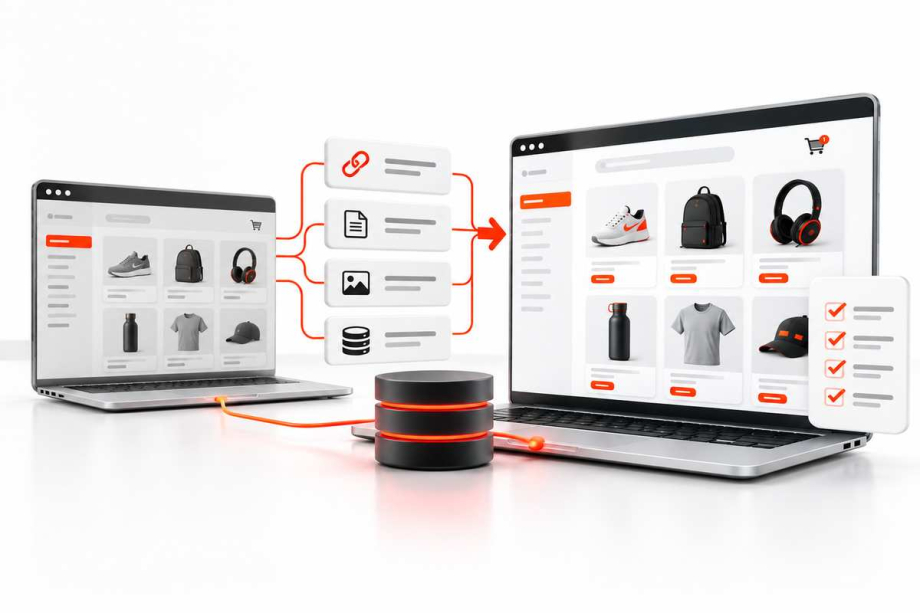
Moving an online shop to a new platform, rebuilding a Webasyst/Shop-Script installation or changing its URL structure is not simply a design project. The visible website may look better while important functions fail quietly: an old product link reaches the wrong item, stock is imported twice, order notifications stop, or a payment returns successfully without completing the order record. A safe migration therefore needs two connected plans: one for customers and search engines, and another for the people who fulfil orders. This guide explains the decisions, test evidence and launch checks that make a move manageable.
Decide what is actually changing
First distinguish a visual redesign from a theme replacement, a hosting move, a catalogue restructuring and a full platform migration. They have different failure modes. A redesign that keeps the same URLs and database usually needs less redirect work but can still affect navigation, product information and checkout JavaScript. Moving to a different commerce platform may require data conversion, integrations and a carefully timed cutover. Write a one-page scope describing the old and new systems, URL changes, checkout changes, stock ownership and who will approve each stage.
Avoid combining every change into one irreversible release. Google's site-move documentation advises careful planning and, where practical, separating major changes. That does not mean every business can run several launches, but it makes the extra risk visible before commitments are made. A small catalogue and a multi-warehouse parts operation should not use an identical plan.
Take a baseline that can be checked later
Before developers modify production, record a representative set of current pages, categories, popular products, informational content, checkout steps and order statuses. Export existing product IDs, SKUs, original part numbers, images, availability, prices, category relationships and relevant customer-facing descriptions. Record current integrations and their owners: payment provider, shipping quotations, stock feed, marketplace publishing, CRM, transactional email and accounting. Keep a secure backup of the database and required media, with an actual restoration test rather than a file that nobody knows how to restore.
For SEO, keep an inventory of important indexable URLs, their page titles, canonical targets, current redirects and internal links. Search Console can help identify pages receiving organic visits, but it is not a complete catalogue of everything that exists. Supplement it with a controlled crawl, the site's own exports, sitemaps and any useful access logs. Record a small baseline for organic landing pages and real orders so post-launch comparisons have context; avoid promising that traffic will be unchanged during a substantial move.
Build an explicit old-to-new URL map
URL mapping is a decision about page meaning, not a blanket rewrite rule. A live product should normally point to the equivalent product on the new site, and a category to its genuine successor. Do not redirect every removed product to the home page just to avoid a 404. For discontinued items with no meaningful replacement, decide whether a useful archived page or an honest 404/410 is more appropriate. Check that the destination resolves, is indexable where intended and does not redirect again unnecessarily.
Use permanent server-side redirects for pages whose addresses have permanently changed. Google's redirect guidance documents 301 and 308 as permanent signals and recommends server-side redirects when possible. Test the full old URL list, not merely ten examples. Include case differences, trailing slashes, pagination, product variants and historically linked landing pages. Keep redirects operational long enough for customers and search systems to discover the move; don't remove them immediately after launch.
Reconcile catalogue data by stable identity
Two products can share a similar name while representing different items. This is especially important for used parts: part number, compatibility, condition, warehouse location and the specific photographed unit may all distinguish a listing. Choose a stable internal identifier and create a mapping from old IDs to new IDs. Compare counts by status and category, then inspect representative products manually. Missing images, swapped condition notes and transformed leading zeros are common examples of issues that totals alone will not uncover.
Do a dry run with a sample that includes ordinary products, out-of-stock items, multiple SKUs, products with special attributes, deleted entries and unusual images. Make a clear decision about which system owns each field after launch. If the website and eBay both change stock, define the authority and conflict rules before enabling automated updates. A successful import is not sufficient evidence that inventory will remain correct once new sales begin.
Protect orders, payments and fulfilment
A migration needs an exact transaction cutover. Decide whether orders are paused, queued or accepted only by the old system during the final synchronisation. Document the cutoff timestamp and reconcile orders on both sides by unique order and payment references. The same payment callback or webhook may be delivered more than once; processing must identify duplicates rather than create repeated stock deductions or duplicate orders. Preserve refund records, fulfilment status, tax documents and any obligations to customers according to the business's data-governance requirements.
Test payment success, failure, cancellation and return flows with provider-approved test methods. Also test shipping charges, postcode validation, confirmation emails, guest checkout and a refund or void where supported. Record not only what the customer sees but the back-office result: one order, one correct payment state, correct stock adjustment and a clear trail for the support team. Never test live transactions using somebody else's card details, and never assume a redirect back from a payment gateway proves settlement.
Separate staging controls from production SEO settings
Development copies must not accidentally become competing public websites. Choose appropriate access controls for staging and verify that test orders, personal data and credentials are protected. Before launch, review robots rules, noindex settings, canonical tags, page status codes, language alternatives if present, internal links and generated sitemaps. A staging noindex instruction copied into production can affect discoverability; simply removing a password is not a complete SEO launch.
When URLs change, publish accurate sitemaps of the canonical live destinations. Google's sitemap guidance recommends fully qualified URLs and explains that sitemap inclusion is a discovery aid, not an indexing guarantee. Check that product structured data, if used, describes the actual visible price, availability and product. Do not preserve stale availability markup from the old platform merely because a validation tool accepts its syntax.
Run user journeys rather than checking the homepage
Write an acceptance checklist for different buyers. One visitor lands on an old bookmarked product URL, another searches by part number, another filters by stock, and another completes a mobile checkout. Test empty search results, unusual characters, long technical titles, missing product pictures and a temporary integration outage. Verify that menus, filters, cart totals, shipping methods, consent handling and receipt messages work together. Screen readers, keyboard navigation and high zoom deserve explicit tests when the redesign changes interactive components.
On a Webasyst or Shop-Script project, review theme templates, plugin hooks, scheduled tasks and third-party integrations together rather than assuming that success on the storefront means the background processes are safe. Check cron jobs, logs, queue handling and how an administrator notices a failed import. Ask staff who process orders to perform acceptance tests: they may catch exceptions that a developer using demonstration products would miss.
Plan launch, rollback and ownership
Agree a release window with a named decision-maker, technical owner and business owner. Freeze catalogue edits or define a final synchronisation interval so records cannot diverge silently. Record backups, migration steps, expected completion evidence and a rollback condition. A rollback is not necessarily a simple DNS switch once new orders have entered the new system; explain in advance how those transactions will be preserved if traffic has to return to the old website.
Launch with a short checklist: the new site responds over HTTPS, old URLs reach correct destinations, payments and shipping work, new orders appear once, admin notifications arrive, stock is updated and public content can be crawled. Re-run essential tests after caches have warmed and after scheduled sync tasks have executed. Assign incident severity and a contact route for staff instead of allowing problems to accumulate in an unmonitored mailbox.
Monitor the move after release
For the following days and weeks, compare organic landing-page visibility, 404 errors, redirect failures, checkout completion and order reconciliation. Inspect Search Console indexing and sitemap information alongside real server responses. Google's site-move guidance notes that ranking changes may fluctuate while URLs are recrawled; monitor trends without declaring success or failure from a single day's traffic. Prioritise errors by business impact: a broken payment return matters immediately, while a low-traffic historic URL may be a scheduled correction.
Keep the migration map, test record and owner list available to maintenance staff. New plugins, imports and catalogue edits can expose assumptions missed during the cutover. Make a follow-up review of product data quality and technical SEO part of normal operations, not a one-time ceremonial audit.
What a sensible migration decision looks like
If the current store is stable, its URLs work and customers can complete orders, a targeted theme and catalogue improvement may be preferable to a costly platform move. If the existing system cannot support required data flows or reliable maintenance, a staged migration may be justified. Compare the options using concrete evidence: operational risk, total maintenance effort, integration needs, catalogue complexity and the team's ability to support the result. No platform choice eliminates the need for responsible testing.
Quadro Design works on eCommerce development and catalogue workflows, including projects where structure, technical product data and integrations must be considered together. If you are planning a rebuild, share your current site, approximate catalogue size and integrations so the scope can be discussed before development starts.