Web Design for Auto Parts Websites: What Helps Customers Find Parts Faster
Findability beats decoration For auto parts websites, finding the right part is the entire user experience. Visual polish matters, but structure, search, and filters matter more. A beautiful site that hides parts behind unclear navigation will not convert. Vehicle-first navigation...
Findability beats decoration
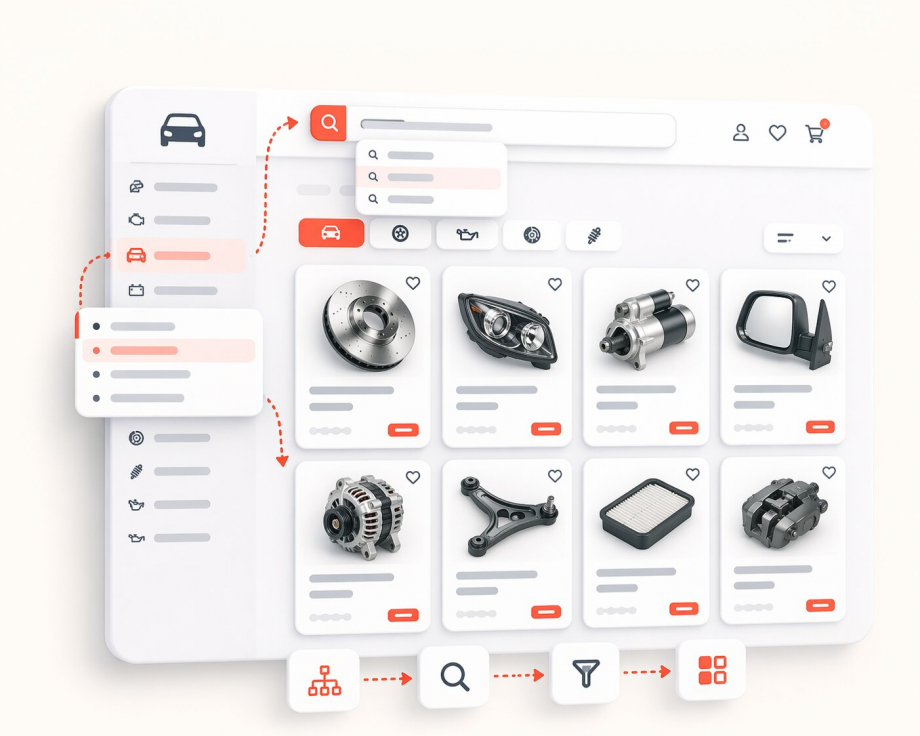
For auto parts websites, finding the right part is the entire user experience. Visual polish matters, but structure, search, and filters matter more. A beautiful site that hides parts behind unclear navigation will not convert.
Vehicle-first navigation
Most buyers know their car before they know the part. A make/model/year selector — visible and persistent — is the single most useful element on the homepage and category pages.
Filters that match real decisions
Filters should reflect how buyers actually narrow down a part: side, position, condition, OEM number, compatible models. Generic filters (color, brand only) are not enough.
Clear category structure
Categories should follow recognisable mechanical groupings (engine, brakes, suspension, body, electrical) with consistent depth. Avoid mixing taxonomy styles across the catalogue.
Check fitment before the customer commits
A make/model/year selector narrows the catalogue, but it should not be presented as final proof of fit. For some parts, trim, engine and the part number also matter. Show the compatibility details and the identifiers a buyer can compare with the removed part; offer a way to ask for confirmation when the match is uncertain. eBay Guaranteed Fit guidance illustrates why full vehicle details and listing compatibility data matter.
A practical five-minute findability test
- Choose a common vehicle and confirm that the route to a relevant parts category is clear.
- Search an exact OEM or interchange number and check whether the match is explained.
- Try side, position and condition filters and confirm that irrelevant results can be excluded.
- Open a product page and check the part number, compatibility, condition, stock and useful photos.
- Submit a query with no matches and check that the next action is clear.
If your catalogue needs clearer navigation, fitment data and search, see our eCommerce development service. These checks reveal friction; they do not replace verifying the compatibility of an individual part.